Photo Documentation
Auto-stamp every site photo with GPS location, precise timestamp, and project tag. No manual data entry. No excuses.
The Problem
You take 50 photos on a job. Client disputes the timeline. Inspector questions when the work was done. Insurance adjuster won't process a claim.
You've got blurry photos with no metadata. Maybe you remember when it was taken. Maybe not. Proof? You're scrolling.
Without proof, disputes cost you money. With proper proof, disputes never happen.
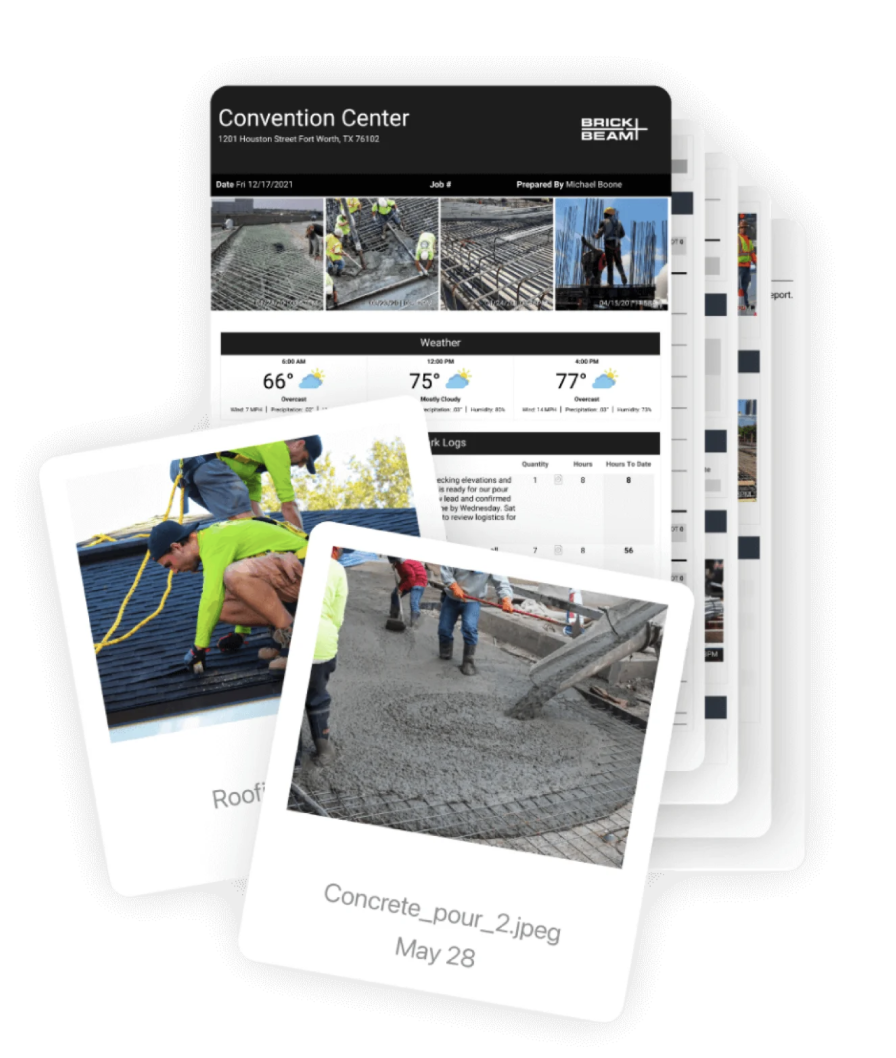
Photo proof that survives the dispute
Every site photo your crew takes is auto-stamped the instant it's captured. Date and time. GPS coordinates. The right project, tagged from the floor plan zone they're standing in. No tagging step. No paperwork.
Three months later, when the client says "we never got that wall finished," you pull up the photos. Timestamped. Located. Project-locked. Case closed.
How it works
Open the Siteezy app
Select your project and crew tag. Everything else is automatic.
Take a photo
Tap the camera. Take the shot. The app captures GPS and timestamp automatically.
Photo is stamped
GPS location, timestamp, project tag, and crew name are embedded in the photo metadata and visible on the image.
You own the proof
The metadata is locked into the photo. Export, share, or print. The proof goes with the photo forever.
What gets stamped
🗺️ GPS Location
Exact latitude and longitude. Accurate to within 5 meters. Proves you were actually on site.
- ✓ Can't fake GPS (it's tied to the photo timestamp)
- ✓ Useful for multi-site disputes
- ✓ Insurance-friendly proof
⏰ Precise Timestamp
Down to the second. Settles timeline disputes instantly. Proof of when work was done.
- ✓ Useful for phased work (foundation to finish)
- ✓ Disputes over completion dates vanish
- ✓ Court-admissible evidence
🏷️ Project Tag
You set it. Could be "Bathroom Refit - Jan 2026" or "Office Renovation - Phase 2".
- ✓ Organize across multiple projects
- ✓ Client immediately knows which job this is
- ✓ Useful for invoicing and reporting
👥 Crew Tag
Who took the photo. Each crew member gets their own tag. Accountability built in.
- ✓ Know who was on site and when
- ✓ Useful for team management
- ✓ Disputes over who did the work are settled
Real-world use cases
💷 Client disputes payment
Client says work wasn't done on the agreed date. You show GPS-stamped photos from that date. Dispute over.
⚖️ Insurance claim
Water damage claim. Insurance wants proof of the condition before and after. Your timestamped photos are the proof.
🔍 Defect claim
Client claims defective workmanship weeks later. Your GPS and timestamp prove the work was done correctly on the original date.
📋 Inspector verification
Building inspector needs proof of compliance. Your photos with timestamps and location prove you followed the timeline.
📊 Progress reports
Client wants to see progress. Your stamped photos show exactly what was done, when, and where. No question about authenticity.
Why this matters
Court-admissible
GPS and timestamp metadata are admissible as evidence. Your photos are proof, not just documentation.
Can't be faked
GPS coordinates are tied to timestamp. You can't fake one without the other looking suspicious.
Disputes end faster
When you have proof, there's nothing to argue about. Disputes get resolved before they cost money.
Stop guessing. Start proving.
Auto-stamped photos with GPS and timestamp. Court-ready proof in every shot.
Get Founder Access